
Colliz - DIY Wallpaper Craft
Braly JSCPersonalization
3.4283.00 Reviews
- Version
- 2.0.9
- Installs
- 10.00M
- Age Rating
- Everyone
Screenshots
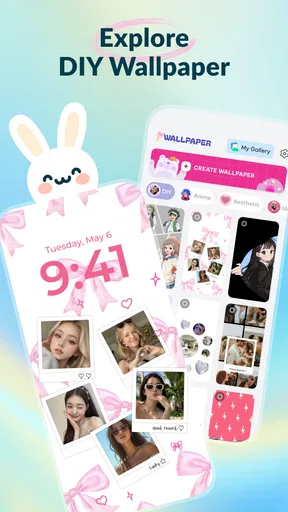

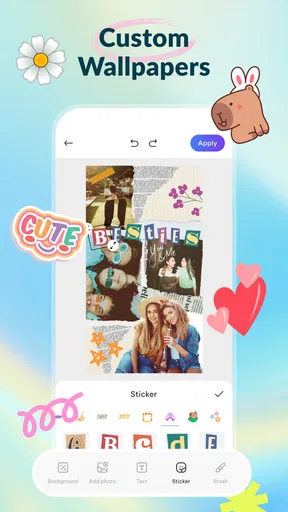
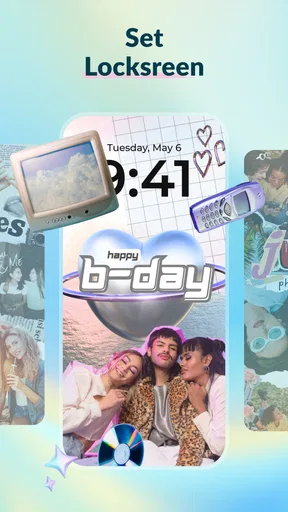
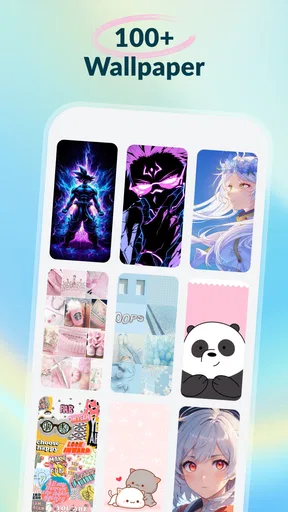
Our Review of Colliz - DIY Wallpaper Craft
 Analysis by Appyee
I approached Colliz - DIY Wallpaper Craft as a personalization app for anyone who wants a phone background to feel more personal than a picture picked from a wallpaper feed. Its focus is hands-on creation: I can work with photos, arrange them into collages, and explore visual ideas instead of settling for a ready-made image. That makes it more interesting than a basic wallpaper browser, although it also means the best results depend on how much time I am willing to spend designing.
The app is developed by Braly JSC and is available free of charge, with optional in-app purchases ranging from around six dollars to fifty dollars per item. It is rated for Everyone, so the general concept is approachable for a broad audience. The current release is version 2.0.5.2, and it runs on Android 7.0 or later. I would describe it as a creative wallpaper workshop rather than a simple background switcher: the reward comes from making something that suits my own screen, mood, or collection of photos.
What to expect when you open Colliz
The first thing I would tell a new user is not to expect a conventional wallpaper catalog. The app’s identity is built around DIY live craft wallpapers, photo collages, and discovering current visual trends. In practice, that points toward an experience where I choose a starting idea, combine visual material, and shape the result into something suitable for a phone display. If I only want to tap once and apply a finished background, a standard wallpaper app will probably be quicker.
For me, the appeal is the sense of ownership. A collage made from a few meaningful photos can work as a personal lock-screen background, while a more experimental arrangement can give an older phone a fresh look. The same creative approach also makes the app useful for seasonal changes, a birthday theme, a travel memory, or a simple color refresh when the existing wallpaper has become boring.
There is a small but important trade-off here. Personalization apps often look effortless in their promotional descriptions, but creative tools still require decisions. I have to think about cropping, empty space, visual balance, and whether icons will remain readable over the design. A collage that looks attractive in an editor can become busy once the home-screen icons are placed on top. That is not a flaw unique to Colliz, but it is something I would keep in mind before spending time on a detailed arrangement.
The store presence shows a substantial audience, with more than ten million installs and an average rating of about three and a half. I read that combination as a reason to approach the app with realistic expectations: it is clearly reaching many people, but it is not a universally smooth experience for everyone. The rating suggests that personal preferences, device differences, and expectations around customization may affect how satisfying it feels.
Who will get the most from it
I think Colliz is best for people who enjoy visual tinkering but do not necessarily want a full graphic-design program. A first-time creator can begin with a familiar photo, try a collage arrangement, and stop once the result feels right. Someone who regularly changes wallpapers may also appreciate having a single place for both making designs and looking for new inspiration.
It is especially suitable for a user who wants a background connected to real life rather than an anonymous landscape or abstract pattern. A few family pictures, snapshots from a trip, or images built around a favorite color can turn the phone into a small personal display. The app also makes sense for users who like trends but want to adapt them instead of copying a finished design exactly.
I would be more cautious about recommending it to someone who wants a minimalist background with no editing involved. It may also be a poor match for a person who expects professional photo-editing control, exact typography tools, or a large set of advanced layout options. Colliz sits closer to casual creative personalization than to a complete design suite, and choosing it with that distinction in mind prevents disappointment.
Getting through the first setup and first useful result
My suggested starting point is to keep the first project deliberately small. Rather than importing a large collection of images and trying to build an elaborate design, I would choose one or two photos that already look good together. This reduces the number of decisions and makes it easier to understand how the app handles the visual material. The goal of the first session should be a usable wallpaper, not a perfect portfolio piece.
Once I have selected a direction, I would check the composition with the phone’s interface in mind. The top and bottom areas can be important because the lock screen may place a clock, notifications, or shortcuts over the image. On the home screen, icons can hide faces and small details. Keeping the main subject slightly away from those busy areas is one of the most useful habits I can bring to the editor, even before experimenting with more decorative choices.
A practical workflow is to begin with the photo that matters most, then build the rest of the collage around it. If every image has equal visual weight, the result can feel crowded. I prefer one clear focal point supported by quieter images or open space. This is a non-obvious advantage of making the design myself: I can prioritize the part of the image I want to see every time I unlock the phone, rather than accepting a fixed crop chosen by someone else.
After arranging the design, I would preview it in the context where it will actually be used. A wallpaper can look balanced inside an editor but lose its impact when reduced behind icons. I would also check whether light text or dark text will be readable against the chosen area. Although this sounds basic, it is the difference between a decorative image and a background I can comfortably use every day.
For a first meaningful success, I recommend making a simple photo collage for the lock screen. Use one strong image as the visual anchor, leave enough quiet space for the clock, and avoid filling every corner. Apply or save the result only after checking that the important subject is not covered. This small project teaches the core creative decisions without making the process feel like work.
A realistic everyday example
Imagine I have just returned from a weekend trip and have several photos that look good individually but do not all deserve to become separate wallpapers. I can choose a favorite landscape for the main area, add a smaller detail shot, and use a restrained arrangement that keeps the time and notifications visible. The finished background becomes a quick memory cue each time I check the phone, while the collage format lets me include more than one moment without creating a chaotic screen.
Another useful situation is a shared family device or a phone used by a child. Because the app is rated for Everyone, the creative idea is accessible, but I would still guide a younger user through choices involving personal photos and purchases. The design activity can be enjoyable without requiring technical knowledge, especially when the first project uses familiar images and a clear purpose.
For a work phone, I would take the opposite approach. I might use a very restrained collage with muted colors and a large area of visual calm. The ability to create a personal design does not mean every design needs to be loud. In fact, a quiet arrangement can be more practical when I need to identify notifications quickly or keep the screen looking professional during meetings.
Where first-time users may become confused
The biggest source of confusion is likely the difference between creating a design and using it as a live wallpaper. Those are related steps, but they are not the same decision. A user may spend time making an attractive collage and then wonder why the phone does not look exactly like the editor preview. I would treat the preview as a design check, then separately confirm how the finished result behaves on the device’s lock screen or home screen.
Another point to watch is the distinction between inspiration and a finished template. Trend-focused areas can be useful for discovering color combinations or layout ideas, but I would not assume that every visual example is meant to be copied in one tap. The most satisfying use of that material is often to borrow a structure—such as a central subject with smaller supporting images—and rebuild it around my own photos.
In-app purchases are another reason to slow down during the first session. The app is free to install and use at its basic entry point, but individual purchases can cost from roughly six dollars up to fifty dollars. I would examine what an optional item does before confirming anything and avoid treating every locked or highlighted element as essential. A free project should be enough to decide whether the editing style suits me.
The rating of Everyone makes the app broadly approachable, but it should not be confused with a guarantee that every creative choice is automatically suitable for every context. I would be careful when selecting personal images, particularly on a device that other people may use. The app can help create a private-feeling background, yet the finished wallpaper remains visible whenever the phone is unlocked or placed on a desk.
Device age can also affect expectations. Since the app supports Android 7.0 and newer, it is available to users with older compatible phones, but the experience may not feel identical across every device. Screen size, system behavior, and the way a phone handles live backgrounds can influence the final appearance. If a design seems misaligned, I would first simplify the layout and test a less crowded composition before assuming the concept itself has failed.
Three design habits that make the app more useful
My first tip is to design for recognition rather than decoration. A wallpaper is seen for a few seconds at a time, often under distracting conditions. Strong color contrast and one obvious focal point usually work better than a collage packed with tiny details. This is particularly valuable on a smaller display, where subtle elements can disappear behind icons.
My second tip is to create separate designs for the lock screen and home screen when the phone allows that distinction. The lock screen benefits from a clear area for the clock, while the home screen needs room for app labels and icons. A single image can serve both, but a carefully planned collage may work better when each screen’s visual demands are considered independently.
My third tip is to keep an original copy of important photos outside the project workflow. Creative editing often involves cropping and rearranging, and I prefer not to treat the wallpaper version as the only copy of a meaningful image. This also makes experimentation easier: I can try a bold crop without worrying that I have permanently changed the source picture.
A fourth useful habit is to judge the result at more than one brightness level. A design that looks balanced in a bright room can become too dark at night, while a very pale background may make icons difficult to read outdoors. I would not over-edit solely to solve every lighting condition, but checking the design in ordinary daily situations gives a more honest impression than admiring it only inside the editor.
How Colliz compares with simpler wallpaper choices
The usual alternative is a wallpaper app that offers a large selection of finished images. That option wins on speed: I can browse, tap, and move on. It is also better when I want a polished photograph or illustration without spending time on layout. Colliz has a different strength. Instead of asking me to find the perfect image, it lets me combine personal material and shape the result around my screen.
A phone’s built-in wallpaper picker is even more straightforward. It is usually the better choice for reliability and minimal effort, especially when I only want to use one existing photo. Colliz becomes more worthwhile when the built-in tools feel too limited, when I want a collage, or when I enjoy exploring visual trends before making a design of my own.
Full-scale design and photo-editing apps remain stronger for precision. They are more appropriate if I need detailed retouching, exact dimensions, complex text treatment, or a carefully prepared graphic for several different screens. The trade-off is a steeper learning curve. Colliz is appealing because it narrows the task to a phone-personalization goal, but that focus also means I should not expect it to replace a professional editor.
For me, the deciding question is whether the wallpaper itself is part of the creative activity. If yes, the app offers a more personal route than a feed of finished backgrounds. If no, the simpler alternatives are likely more efficient. That is not a weakness in the app so much as a clear difference in purpose, and recognizing it helps users choose without frustration.
What to do after the first successful wallpaper
Once the first design works, I would resist the temptation to immediately make it more complicated. Instead, I would duplicate the idea mentally and change one element at a time: a different focal photo, a calmer background, or a new arrangement inspired by a trend. Changing one variable makes it easier to understand what actually improves the result.
I would also build a small rotation of designs for different situations. A bright travel collage might suit weekends, while a quieter arrangement could be better for workdays. A seasonal version can refresh the phone without requiring a complete change in habits. This gives the app a practical role rather than turning it into a tool I open once and forget.
Users who enjoy sharing visual ideas with friends can use their own designs as a starting point for conversation, but I would still keep the process personal. The strongest result is not necessarily the most fashionable one; it is the background that remains pleasant after repeated daily viewing. Trends are useful for inspiration, yet personal meaning and readability should make the final decision.
It is also worth reviewing paid elements with patience. Because the purchase range reaches from around six dollars to fifty dollars per item, I would first decide whether the free creative experience already meets my needs. If it does, there is no reason to buy simply to unlock every possibility. If I use the app regularly and a paid option genuinely supports the kind of designs I make, I can evaluate that choice separately rather than treating payment as part of the initial setup.
My final recommendation
Colliz - DIY Wallpaper Craft is a good fit for Android users who want their wallpaper to reflect their own photos and creative taste. I like its emphasis on making rather than merely browsing, and the collage approach gives ordinary images a new purpose. The free entry point makes it easy to test with a small project, while the Everyone rating keeps the concept approachable for a wide audience.
I would not recommend it to someone who wants instant, untouched backgrounds, advanced professional editing, or a completely predictable experience across every phone. The app asks for a little patience, and live wallpaper behavior can make the final result feel different from the editing view. Its optional purchases also deserve careful consideration instead of automatic acceptance.
For a first-time user, my advice is simple: choose a couple of photos, build a clean lock-screen collage, leave room for the clock, and check the result behind real icons before trying anything elaborate. If that process feels enjoyable, Colliz can become a useful part of a personal phone routine. If it feels like unnecessary editing, a standard wallpaper picker will serve you better. In my experience, its value comes from that small moment when a familiar phone starts to look unmistakably like mine.
Privacy and Permissions
See what permissions an app requests and how it handles your data.
- Location
- approximate location (network-based), precise location (GPS and network-based)
- Photos/Media/Files
- read the contents of your USB storage, modify or delete the contents of your USB storage
- Storage
- read the contents of your USB storage, modify or delete the contents of your USB storage
- Wi-Fi connection information
- view Wi-Fi connections
- Other
- view network connections, full network access, set wallpaper, control vibration, prevent device from sleeping, Google Play license check
Verdict
Strengths of Colliz - DIY Wallpaper Craft
- Simple tools make custom wallpaper creation accessible to beginners.
- Collages can be personalized with photos, colors, stickers, and decorative elements.
- Useful for creating matching wallpapers for different moods or themes.
- A creative way to reuse personal photos instead of downloading generic backgrounds.
- Finished designs can be saved and shared for use across devices.
Limitations of Colliz - DIY Wallpaper Craft
- Some advanced design options may require in-app purchases.
- Large photo projects can take extra time to arrange neatly on smaller screens.
- The final wallpaper quality may depend on the resolution of imported images.
- Decorative elements may feel limited compared with professional design apps.
- Frequent editing or exporting could be affected by ads in the free version.
Other Releases by Braly JSC
View All
Draw Anime - AR Tracing App
Art & Design4.5

Artrace: AR Easy Draw & Sketch
Art & Design4.6

Artmate: Drawing Together
Art & Design4.6

Draw Cartoon - AR Sketch App
Art & Design4.5
Similar Picks in This Category
View All
Microsoft SwiftKey AI Keyboard
SwiftKey4.3

Wallpapers
Google LLC4.1

Zedge™ Wallpapers & Ringtones
Zedge4.7

Yandex Browser with Alice AI
Direct Cursus Computer Systems Trading LLC4.3

Ringtone Maker:create ringtone
Big Bang Inc.4.7

Fonts Keyboard
Fonts Keyboard3.9
Frequently Asked Questions
What is Colliz - DIY Wallpaper Craft?
Colliz - DIY Wallpaper Craft is a creative customization app that lets you design personalized wallpapers for your phone. You can combine colors, patterns, decorative elements, stickers, and other visual details to create a background that matches your style. It is aimed at users who enjoy simple digital crafting and want something more personal than a standard wallpaper.
How does the wallpaper-making process work in Colliz?
The app generally uses an easy, visual editing process rather than complicated professional design tools. You can begin with a blank canvas or a prepared layout, then arrange decorative elements and adjust the overall appearance. After experimenting with colors, positioning, and composition, you can save the finished design and use it as your device wallpaper. The experience is suitable for beginners.
Can I use Colliz wallpapers on both Android and iPhone?
Colliz is designed for mobile wallpaper creation, but the exact features and availability may vary depending on whether you use Android or iOS. Before downloading, check the app listing for your device to confirm compatibility, supported screen formats, and export options. Some designs may require minor cropping or repositioning when applied to phones with different aspect ratios or display sizes.
Is Colliz - DIY Wallpaper Craft free to download?
The app may be available to download at no initial cost, but users should review the store listing carefully because creative apps often include advertisements, optional purchases, premium assets, or subscription-based features. Free access may provide a selection of templates and design tools, while additional decorations or advanced options could require payment. Always check the current pricing before confirming a purchase.
Is Colliz suitable for children and does it require an internet connection?
Colliz is generally easy to understand because it focuses on visual creativity rather than complex editing, making it appealing to younger users as well as adults. However, parents should review advertisements, in-app purchases, and the app’s privacy information before allowing children to use it. An internet connection may be needed for downloads, updates, ads, or online content, even if basic editing works offline.
